Posts

CCR: Final Task

Image
Question 1 Question 2 Question 3 Question 4 This is my CCR for my final task. The four questions are split into four videos. Creating this film was so much fun.  

Final Task: The Majestic Film

Image
This is the finishing piece of my final task. The whole process was fun and also creative. I love how it increased my creativity over the time I was completing the project.

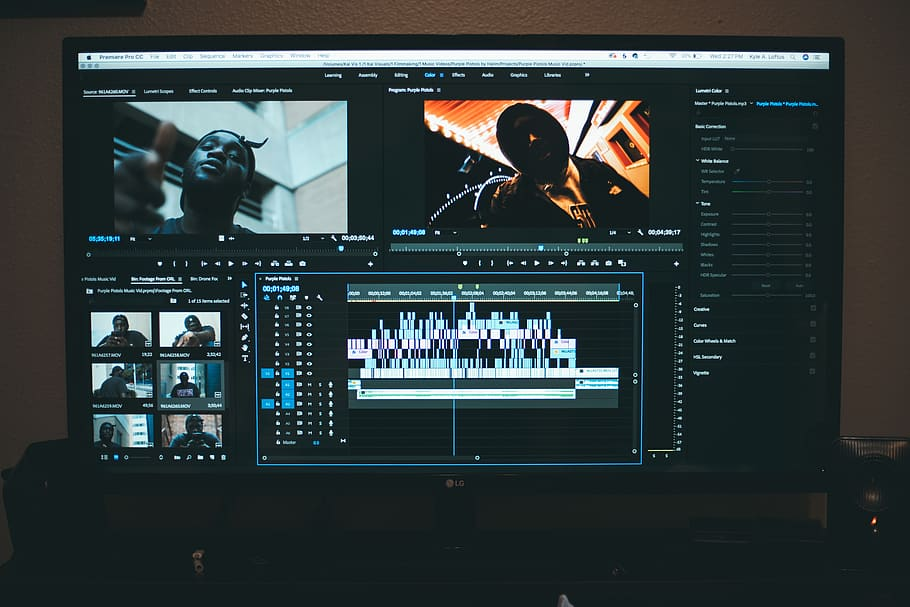
Production Blog: Finishing Editing

Image
 Today was the my last day working on this task. I took the time to finish edit my film. I needed to finish setting up my title sequence. This was part was very stressful. It took me a while to finish setting up the title blog. This was because my editing software was running slow. It took a long time to process what I asked for. I was so worried that I wouldn't have been able to complete the title sequence. I ended up adjusting to the slowness of the software. Although it was hard to get through, I was able to complete my title sequence. In my title sequence, I introduced the actors first. I then introduced the production company, along with the film company. After this, I introduced the editor, the director, and everything that was done by someone for the film. The film ends with who directed the film which was me. I added music to my film as well. I used the song "Everybody wants to Rule the World" by Tears for Fears. I added it during the beginning of my film. I added...

Production Blog: Editing Process

Image
 I have finished recording my whole film last week Thursday. The editing process is taking longer than what I had expected. The hardest part is what I believed would be the easiest. That part is importing scenes onto my computer then onto my editing software. My editing software only allows me to upload one film at a time. This is what makes the editing process longer for me. Then after I import them, I have to clip them so that they fit in how I want it to be. After I clipped them all, I either shorten some parts or lengthen them. I did this so that my film can reach the required time. Working on my title sequence was much easier than I thought. Adding the title and names of my actors was a part to do. I enjoyed choosing between the many transitions that I could use. I decided to go for a more clean look for my film and I chose the fade transition. It is a simple and nice transition. I noticed that I filmed some of my scenes in portrait mode. I quickly edited it into landscape mod...

Production Blog: Editing the film

Image
 Today I finished filming my film. I fixed all my mistakes that needed to get fixed. Filming with my actors today was a very fun experience. They made the process so much easier for me. When I got home, I got straight to editing. I placed in the last few bits of scenes into my editing software. I then trimmed them so that they were to play at the right time. For some of the scenes I completely lowered the sound since it was needed. This is where I added my background music. I added my background music to scenes such as scene six, This is where my character is looking up something about herself. It adds suspense to the film. I also used a News intro sound for scene five. This was used to show that my actor was watching the news. I didn't point the camera towards the TV until the news person began to speak. So to add something extra, I decided it would be best to use the news intro in the background. This would let the audience get an idea on what my actor was watching. For scene thr...

Production Blog: Editing the scene

Image
 I continued editing my film during this week. One thing I noticed while editing the scenes was that they were to short. It didn't take much to notice that it the film wouldn't pass at least one minute. Knowing that my film needs to be 2 minutes, I will be scheduling to film again with my actors. I won't be redoing any scenes. Instead I will add on little things to each scene. After I do this, I will simply add the new clips into my project on my editing software. While I wait until the I get to film again, I am focusing on my title sequence. As of right now I only have an outline of what I plan to do for it. I want my actors names to go before mine, the director. I want to do this because I noticed it is a technique used in most films. Seeing this in many films inspired me to include it in my short film. I've been taking time to focus on this project every day for at least an hour. In two more blogs, I plan on cleaning up and finishing my film. If I put my mind to it, ...

Production Blog: Finishing all the scenes

Image
 I finally finished all my scenes on March 31st. The scenes that I filmed that day were scenes four through seven. These scenes were easy to film since there was not much in them. I didn't have a complicated angle change like I did with scene three. There was not much dialogue either. There was a little bit of conversation from here and there. Filming the scene with the TV was surprisingly easy. I first recorded made one of my actor act out the news part. I had them dress up professionally so that they could appear as an true news reporter. I recorded this on another device. I did this because I knew I was going to use my phone to record the video playing from the phone. This made it look like I was recording closely by a TV. I didn't connect the phone to an TV because we did not have the utilities to connect a phone onto the TV screen. When I got home, I imported the last pieces of my film onto my editing software. I trimmed the parts so that they fitted in a way I wanted it t...

Production Blog: Making progess

Image
 So far I have filmed half of the scenes that I have set. I have filmed scene 1 through 4 at my set location. This would be the 3rd time I have redid scene 2. This time it came out perfectly and I am now more aware of any mistakes I can possibly make. I would every scene but scene three was easy to film so far. Scene three was hard to film because of the amount of times I had to change the camera angles. The scene held a lot of dialogue. This dialogue was between three people so I had to angle the camera in ways it would make sense. For an example, while it showed Red talking to her mom's friend, I angled the camera over the shoulder of the friend. I did angles like this for other scenes that held dialogue such as scene three. As of the location, I made the backyard area of my friends house appear as a school. When you see the scene the school appears to look like its an outdoor school with separate buildings. I filmed the scene where my actor is in class, in the kitchen of my frie...

Production Blogs: Fixing some mistakes

Image
 I was told that I could not film at my high school during the beginning of this task. This piece of information completely slipped my mind. Luckily, I was told this before I took the time to film around the school for another time. With this new information, I decided to change one of my locations to a mall. It will still be presented as a school in my film, but just at a mall. First I will use the food court as the school cafe for my film. I feel as if it will be more interactive since there will be more people in the background. Next, I plan on using the hallway in front of the bathroom as the place my actor waits to go inside her class. I wouldn’t want to use the hallways in front of other stores because it wouldn’t look as realistic as I want it to be. Lastly, I will then move to my friends house and use her kitchen as the classroom. She has a island with chairs in her kitchen so I will position the camera in a way so that it actually looks like my actor is actually sitting in...

Production Blog: Reshooting Scenes

Image
 Unfortunately, my main character couldn't take part in my film anymore. At first I thought it was not such a big of a deal. Then I realized that the scene that I filmed of her at school had to be reshot so that the film didn't look so crazy. I decided to film with my neighbor instead this time. This will make it easier for me to move around. I will be allowed to reshoot whenever its needed. I will also be able to film whenever I need to. I will be reshooting scene two again at school. I will do everything the same way I did with my former actor. I feel as if it will turn out better than the first time I filmed this scene. I say this because, now I am more aware of what to expect. Last time I was surprised by all the struggles it took to film at a school. I now know how to maneuver around the school to get the best shots. I will be reshooting tomorrow which is the 15th of  March. I want to get started right away so that I can get back on track. I am now off track with my sched...

Production Blog: Starting to film

Image
 I finally started filming this project. I only filmed scene two yesterday which was the 10th of March at school. It was a must that I went to school face-to-face so that I can be there to film. If I had not gone to school then I would have had to wait until the 14th of March to film scene two. While filming it was a struggle. I underestimated how much work it would be to film around other people. For one, it was so loud. The sound of the other people at school gave me a new idea. I decided to open the audio recorder from my phone and begin to record the sound. I am going to place the audio recordings over the shots I took today. I chose to do this because there is no dialogue in scene two. I could have easily just left the video alone with its original sound but I believe it wouldn't be as clean as placing an audio over it. Another reason I would say made it harder for me to film is timing. My main actor and I did not have the same lunch as each other. This made it harder for us t...

Production Blog: Adjusting and changing things

Image
 I have not started filming yet for my final task. According to my schedule I was supposed to start filming on March 6, 2021. I haven't started filming because I did not have access to any of my film locations. I was on the verge of changing it all but I got everything together and I should start filming by March 10, 2021. I am also low on actors. I need at least one consistent actor to play the main character so that I won't have to change or restart the whole film if they choose to cancel. I have three actors in mind already which will be recording with me on the 10th. I have yet to figure out what my actors will be wearing. What I do have in mind for them is something casual since they two of my characters are going to be teens in high school. Something like a regular top and jeans. For my editing, I decided to look for a new editing software. I still did not find anything yet so as of right now I will be using Clip Champ. I also decided on what background noise I will be us...

Filming and Editing Blog: Planning it out

Image
When I film, I plan on to complete drafts of the film. I will have my actors act out their parts before any filming is done. I will do this so that the filming process can be made easier for everyone. Then I will will film just the 1st, 3rd, 4th, and 5th scene. I won't film the 2nd scene because that scene is located at school. I plan on filming that scene on another day. For each scene, I will be filming it in a landscape angle. I will try to match the scene with the time which it was said to be in. For an example, scene 5 I will close the curtains so that it will look like it was filmed in the evening. This will be done for every scene after scene 5 as well. When I edit the film I will start by just simply placing each scene where they need to be. Then I will clean it up by cutting the unnecessary parts. I will then add voiceovers and background noises. I will do this by making the sounds a file on my computer. Then I will simply add them onto to my project. After I add them to m...

Planning Blog: Storyboard

Image
  Making this storyboard will make this film process more easier for me to do. When I go in to film this project, the storyboard can guide me along the way. Without this storyboard it would be much more harder to film. I would be making ideas along the way of filming and that would be allover the place. I would have missing scenes or miss creative ideas that I could have thought of.

Final Task: Title design

Image
 The opening credits of my film will be in a cursive font. The name of the font is Script MT. This font will be used for the whole opening credits. The titles will fade into the screen, then it will fade away. It will be on the screen for about 5 seconds before fading away. Since its only a few words, I believe that's a good enough time to read. This is how the titles will appear on the screen throughout the opening credits.  The titles will be displayed onto the screen in gold with a Script MT font. I chose cursive and gold because it gives off a royal vibe. My film circulates around the royal subject: Space will be made between each letter since the cursive makes it harder for the audience to read: I wouldn't want to make the font size too big or too small. So I decided to go with the font size 28. I don't want the words to look like they are crowded in the screen. It would look messy if I make the words to big. I also wouldn't want to make the words to small. I want ...

Planning for the final task: Location, health, schedule, and more

Image
Schedule 3/5/21- I will start filming the first five scenes. I will also film scene ten so that I can record the one voiceover of the film. I will also use this day to mark where the next films will be filmed. This will make it easier for the next set of scenes to be filmed 3/6/21- I will complete the filming process. I will film the remaining scenes and then review the scenes to check if they need to be done all over again. 3/8/21-  I will start editing the film. I will just be placing the film in order and making sure the scenes were done in a way so that the film can run smoothly. I will also take this time to see if anything should be added or not/ 3/9/2- I will finish editing the film. I will be placing background sounds and voiceover wherever they are needed. After I finish this, I plan on turning in my final task so that it can be in pending waiting to be graded.           Location I will be filming in a house. I will be filming at a school Part...

Planning for the final task: Scripts

Image
 Sound Script The natural sounds of objects moving around can be heard throughout each scene. Scene 1 No dialogue Scene 2 No dialogue Scene 3 Red King- ...hello?  Marie Anderson- Sweetie...uhh...hi, did school end early today. Red King-  Yeah today was early release, who is this? Marie Anderson- This is an old friend of mines, we were just finishing up. I didn't make anything today so you order take out today. Red King- Alright Scene 4 No dialogue Scene 5 Television- ...and sources says King Zion may have a secret child kept in hide out. Sources says that the child should be around the age of 17 now and these are pictures of what he or she would loo- Marie Anderson- You know... too much TV is not good for the eyes. Scene 6 No dialogue Scene 7 Jade Quin- Hey what's up? Red King- Check this out Scene 8 No dialogue Scene 9 Marie Anderson- What are you doing? Red- Uhh I was looking forrr... this brush, thank you, love you. Scene 10 Unknown person- You know she can never find ...

Title Research: The Fault in Our Stars

Image
 Website- vimeo.com What titles are displayed during opening sequences? The titles that are displayed is first, the company that presents the movie. This would be Fox 2000 Pictures. Then the title presents who the movie is in association with. This would be Temple Hill Entertainment. Then the director name is presented. Next, the names of the actors are shown. Each name is shown one by one. What images are prioritized in the opening sequences? Images like everyday things are shown. The night sky was shown in the beginning. Then a roller coaster was shown during the middle of the title sequence. Lastly, a school chalk board was shown. What connotations do these images carry? The images carry a happy feeling. Being that the movie was about how the two characters couldn't have a normal live, the everyday things that are shown in the title sequence gives a feeling of content. How does the film establish a feeling of the genre from the outset? From the music, you can already get the vib...

Title Research: Anne with an E

Image
 Website- vimeo.com What titles are displayed during opening sequences? First the distributor was presented in the title sequence. Then the company which produced the film was presented. The names of the people starring in the film began to appear one by one. Sometimes the names appeared in threes. What the film was based on was then presented. All the producers were presented one by one following was the creator. The films name was then presented and was then followed by the director. What images are prioritized in the opening sequences? Images of a forest was the main focus of this title sequence. Words were engraved on some parts of the tree branches and a red head girl would be presented at some times. What connotations do these images carry? The images gives off an happy feeling or a feeling of content. All of the images has a bright lighting and are in a unique cartoon form. The images just focuses on nature which is what gives off the feeling of content. How does the film es...

Title Research: A Star is Born

Image
Website- viemo.com  What titles are displayed during opening sequences? There was only one thing that was displayed for the title sequence. This thing being the title of the movie, A Star is Born. What images are prioritized in the opening sequences? The words 'A Star is Born' are presented one by one. In each word a picture is presented within it. In the letter 'A' an eye can be seen. Then in the word 'Star', two figures are shown starring at each other. In the word 'Is', the two people are seen sitting on the floor working on what seems to be a song together. Lastly, in the word 'Born' you can only see one of the figures and they seem to be laying down. The images circulate around two people who seems to be interested in music What connotations do these images carry? The images gives off a memorable feeling. Knowing that the movie is based on a true story, the pictures of the two figures practicing gives a replay of something historical. How do...